
Tips When Buying Used Apple Products

Buying a used Apple device—whether it’s a MacBook Pro/Air, iPad, iPhone, iMac, or Mac Mini—requires research and caution. Platforms like eBay, Craigslist, Facebook Marketplace, and some Amazon third-party sellers can be risky.

If you choose to buy this way, always:

  • Check the seller’s reputation and read reviews.
  • Understand that you may not have buyer protection when dealing with a random local seller.
  • Verify that iCloud Activation Lock is off.
  • Check for any MDM/DEP profile locks (common with corporate, school, or university-owned devices).
  • Test all hardware functions.
  • Confirm that the product’s serial number matches the specifications provided by the seller.

If you’re unsure, I can help research an Apple product you’re considering purchasing.

For a detailed checklist of what to investigate, see this article:

Buying a Used MacBook – What to Check (link opens in new browser tab)

AT&T Is Phasing Out DSL By 2029 — What You Need to Know

AT&T has announced it will be phasing out traditional DSL internet service by 2029. If you’re currently using DSL, now is a great time to plan your transition.

I can help you switch to AT&T Fiber, AT&T Internet Air (5G/4G), or assist with finding another internet service provider that fits your needs.

Please note: AT&T Fiber requires a dedicated fiber line to be installed at your home, business, apartment, etc., which only they can do. Computer Repairs & Solutions LLC can’t. However, if you already have a line, I can assist you with:

  • Setting up new hardware (modems, routers, etc.)
  • Creating and configuring email accounts
  • On-site setup and troubleshooting

If you’re unsure about your options or what’s available in your area, contact me — I’ll be happy to help!

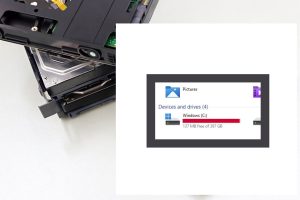
Low Hard Drive Or Solid State Drive Disk Space

Do you know how much free drive space you have remaining?

If you are unaware, there will be problems when it gets below 20% free space.

Under 10% is critical. The computer or tech device will get slow. Files can get corrupted. The system might crash/freeze.

In a recent project, the operating system got damaged. There was less than 5% free drive space and no Windows system restore points. At that point, the hard drive would have trouble finding a spot to place data. Windows updates might not perform or cause trouble. After backing up user files, Windows was reinstalled, and all the programs have to be as well.

How to free up space:

1) If your recycle bin hasn’t been emptied in awhile, that can help

2) Uninstalling programs you don’t need is another

3) A cleaner program such as Bleach Bit (link opens in new tab) can remove junk or temporary files

4) If there are too many photo/video/ or other files, you’ll have to move them to a different storage location

Mark Cavil Avatar

Mark Cavil

Owner / Technician
Fact Checked & Editorial Guidelines
Reviewed by: Subject Matter Experts

Why SSDs Matter For All Your Tech In 2025

If you’re running Windows 10 or 11, a current Mac OS, or own a gaming console, a solid-state drive (SSD) is essential for speed and overall performance. SSDs deliver a smoother, faster user experience compared to traditional hard disk drives (HDDs).

While HDDs can still be useful for external storage or backups, they’re not ideal for running your operating system. SSDs are typically 5–10x faster than HDDs, and if you want even more speed, M.2 NVMe SSDs outperform standard SATA SSDs by another 5–10x.

Watch the video below to learn more and see performance comparisons in action!


Mark Cavil Avatar

Mark Cavil

Owner / Technician
Fact Checked & Editorial Guidelines
Reviewed by: Subject Matter Experts

Steam Deck Game Console Repair

In this undertaking, the Steam operating system (OS) was reinstalled on the Steam Deck, a handheld gaming console and computer developed by Valve Corporation.

The device operated under Windows 11; however, the user sought to revert back to the factory Steam OS. It is feasible to install both Windows 11 and Steam OS on the Steam Deck, enabling users to choose their preferred operating system at startup.

The Steam Deck offers significant customization options, including the capability to emulate and stream games from PlayStation and Xbox platforms.

How To Make Facebook Tolerable

Facebook can occasionally present a suboptimal user experience. For example, it is not uncommon for one of your connections to post excessively, with some individuals sharing content around 10 times a day.

Additionally, the news feed is often inundated with advertisements, leading to a cluttered browsing experience. Users may also find that they receive numerous notifications on both their desktop and mobile devices. Furthermore, the frequency of selfie postings by certain individuals can exceed once a week, and the prevalence of political discussions can become overwhelming, particularly given the amount of such content already present on television.

An article by How to Geek looks at how to make Facebook more tolerable. The recommendations are primarily tailored for smartphone users, but several are also applicable to other platforms.

Should you encounter any difficulties locating a specific setting, I encourage you to reach out via email or messaging, specifying the tip in question and the device you are using.

Read the article — 9 Ways To Make Facebook Tolerable (link opens in new browser tab)