Using a PCI Express Adapter For NVMe Solid State Drive Compatibility

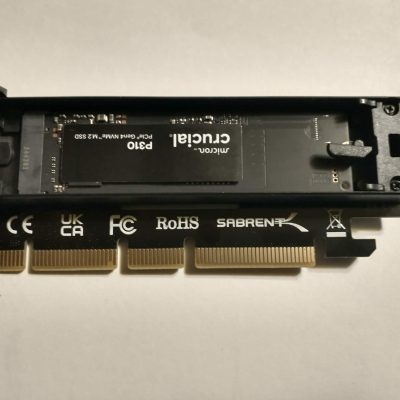
Crucial P310 PCI Express Gen4 NVMe 2280 M.2 solid state drive

The Asrock Z390 Taichi Ultimate motherboard was not recognizing newer generation 4×4 PCI Express NVMe solid state drives. Compatibility was limited to specific older drives listed in the SSD support QVL (quality vendor list). That means those drives were tested and guaranteed to work with the motherboard. 

When I attempted to use a Crucial P310 2TB Gen 4 SSD, the system failed to recognize it. This was the first time I had encountered a motherboard that refused newer Gen 4 drives. After researching solutions, many suggested using a PCI Express x16 adapter card.

I choose the Sabrent adapter, which includes an M.2 NVMe slot. Installation was straightforward: insert the SSD, close the heatsink, and place the adapter into an empty PCI Express x16 slot. No changes were required in Windows or the BIOS — the Crucial drive was detected automatically. It appears the motherboard’s built-in M.2 NVMe slots can no longer be used with newer SSD’s.

Tip for Readers:

If your motherboard doesn’t recognize a newer NVMe SSD, don’t assume the drive is bad. Check the manufacturer’s QVL (Qualified Vendor List) first to confirm compatibility. If your drive isn’t listed, a PCI Express x16 adapter card can be a simple workaround — just make sure you have an open slot available. This lets you use newer generation 4+ drives even on older boards without complicated BIOS and Windows modifications. Replacing the motherboard isn’t necessary!

Mark Cavil Avatar

Mark Cavil

Owner / Technician

The owner of Computer Repairs & Solutions LLC since July 2003. I have technical and diagnostic experience in computer, laptop, game console, tablet, and phone repair.

Fact Checked & Editorial Guidelines
Reviewed by: Subject Matter Experts

2025 Nextdoor Neighborhood Fave

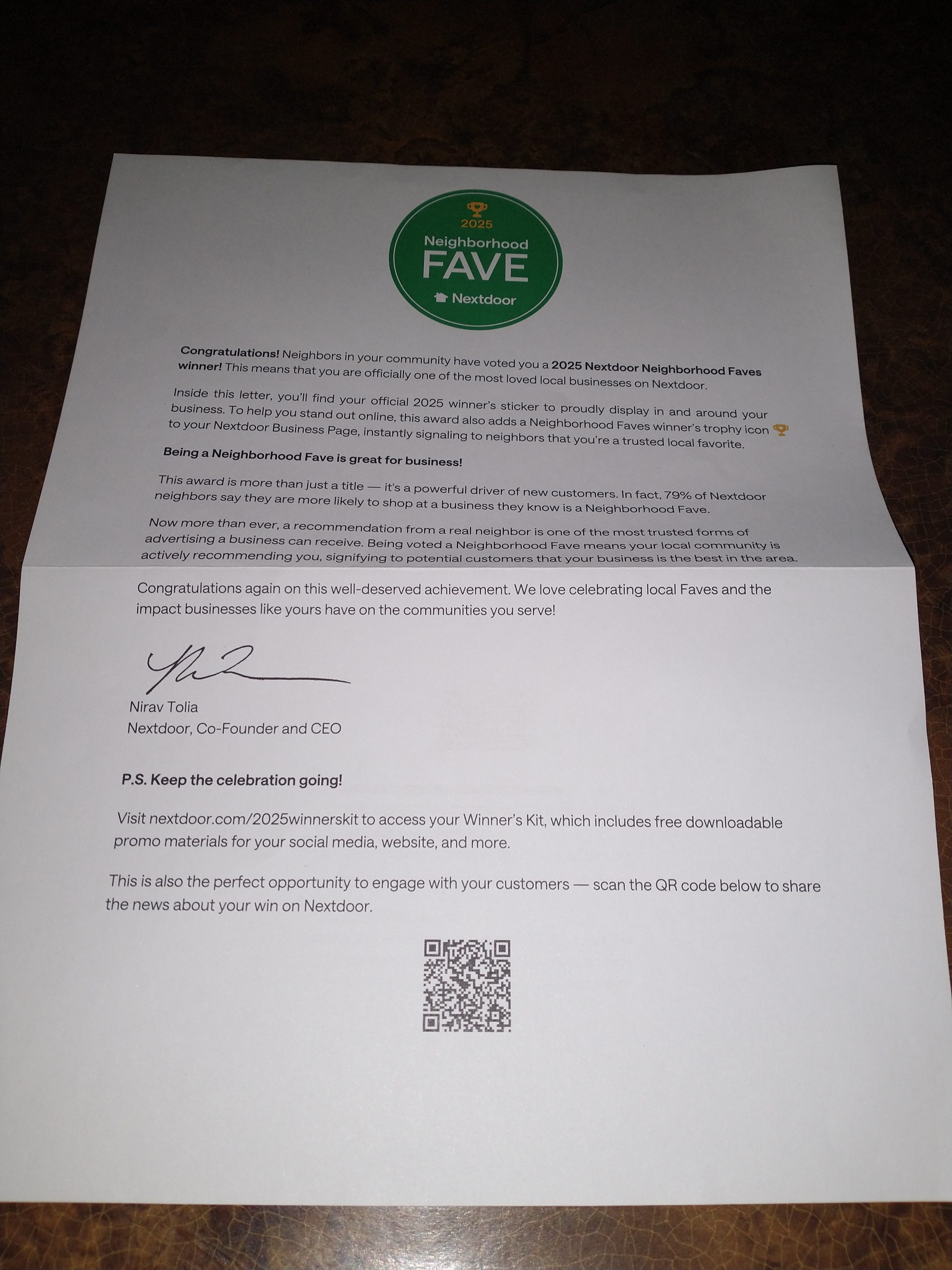
🎉 Computer Repairs & Solutions LLC has been voted a 2025 Nextdoor Neighborhood Faves winner. I appreciate all of you! Thanks for your support and consideration for this award.
—————————————————————

Neighbors Name Computer Repairs & Solutions LLC a “2025 Nextdoor Neighborhood Fave” in Nextdoor’s 9th Annual Local Business Awards

 
[Green Bay / Ashwaubenon WI November 18 2025] — Computer Repairs & Solutions LLC has been named a 2025 Nextdoor Neighborhood Fave, the annual awards program that recognizes local businesses loved by neighbors.
 
This year’s winners of Neighborhood Faves will receive greater visibility on the Nextdoor app, a Neighborhood Fave badge on their Nextdoor Business Page, and a “2025 Neighborhood Faves Winner” sticker to display in their storefront.
 
“Local businesses are the cornerstone of our communities, and the Neighborhood Faves awards are our way of celebrating the establishments that neighbors love most,” said Nirav Tolia, CEO of Nextdoor. “We are proud to recognize this year’s winners for their outstanding contributions. Being a Neighborhood Fave is a powerful testament to the meaningful impact they have on their communities every day.”
 
Selected by the volume of neighbor ‘Faves’ and recommendations on the platform from the past year, the Neighborhood Faves awards recognize the most beloved local businesses on Nextdoor.
 

Complete list of winning businesses

Join the neighborhood network by downloading the Nextdoor app in your favorite app store or visiting Nextdoor.

 
Mark Cavil Avatar

Mark Cavil

Owner / Technician

The owner of Computer Repairs & Solutions LLC since July 2003. I have technical and diagnostic experience in computer, laptop, game console, tablet, and phone repair.

Fact Checked & Editorial Guidelines
Reviewed by: Subject Matter Experts
2025 nextdoor neighborhood fave letter

The End Of An Era: Windows 10 Support Officially Ends

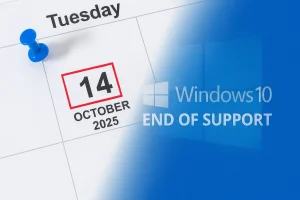
Windows 10 has been a reliable workhorse for over a decade, but its time has officially come to a close. Microsoft officially ended support for Windows 10 on October 14, 2025. That means no more free security updates, bug fixes, or technical support. While your PC won’t suddenly stop working, it will become more vulnerable to malware, ransomware, and other threats over time. If you’re still using Windows 10, now’s the time to decide your next move.

Here are the options customers have with Windows 10 reaching end of life.

  • Upgrade to Windows 11 if your computer meets the minimum requirements
  • Enroll in Microsoft’s Extended Service Updates (ESU) to get updates through October 13 2026. The cost is $30 per year, but you can get ESU free by using Windows Backup or redeeming 1,000 Microsoft Rewards points. Renewal is required each year to continue receiving updates.
  • Buy a new Windows 11 computer
  • Expert users: Consider switching to a different operating system (Linux Mint or ChromeOS Flex are popular alternatives)
  • Do nothing: Your PC will still run, but without updates, it becomes increasingly risky. Apps and programs will eventually stop supporting Windows 10

Overwhelmed? Not sure what to do next? I can install Windows 11 for you, walk you through Microsoft’s ESU program, or help you choose the best path forward.

Quick Fixes Are Possible Now And Then!

Not every computer repair takes hours or days — sometimes, the solution is hiding in plain sight. Recently, there were two jobs that had fast turnaround times. An hour or less!

Problem #1: HP laptop wouldn’t turn on or charge.

Diagnosis: Charger plug wasn’t seating properly; center pin inside the barrel was bent.

Solution: Advised customer to carefully straighten the pin with small pliers or a toothpick.

Tip: If your charger isn’t fitting right, check for a bent charger pin before assuming the battery, charger, or motherboard is bad.


Problem #2: CyberPowerPC had no video after phone fell on the case side glass.

Diagnosis: It’s possible a part or cable is not seated completely.

Solution: Reseated memory, graphics card, 24 pin power connector, and checked all cables.

Most likely, the memory was loose and at fault. It might have been loose a little already.

Tip: If your computer suddenly loses video, reseating hardware and cables is a quick first step before replacing parts.

Tips When Buying Used Apple Products

Buying a used Apple device—whether it’s a MacBook Pro/Air, iPad, iPhone, iMac, or Mac Mini—requires research and caution. Platforms like eBay, Craigslist, Facebook Marketplace, and some Amazon third-party sellers can be risky.

If you choose to buy this way, always:

  • Check the seller’s reputation and read reviews.
  • Understand that you may not have buyer protection when dealing with a random local seller.
  • Verify that iCloud Activation Lock is off.
  • Check for any MDM/DEP profile locks (common with corporate, school, or university-owned devices).
  • Test all hardware functions.
  • Confirm that the product’s serial number matches the specifications provided by the seller.

If you’re unsure, I can help research an Apple product you’re considering purchasing.

For a detailed checklist of what to investigate, see this article:

Buying a Used MacBook – What to Check (link opens in new browser tab)