Quick Fixes Are Possible Now And Then!

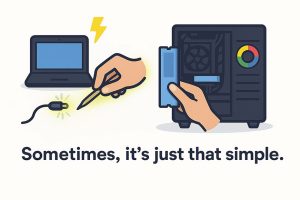
Not every computer repair takes hours or days — sometimes, the solution is hiding in plain sight. Recently, there were two jobs that had fast turnaround times. An hour or less!

Problem #1: HP laptop wouldn’t turn on or charge.

Diagnosis: Charger plug wasn’t seating properly; center pin inside the barrel was bent.

Solution: Advised customer to carefully straighten the pin with small pliers or a toothpick.

Tip: If your charger isn’t fitting right, check for a bent charger pin before assuming the battery, charger, or motherboard is bad.


Problem #2: CyberPowerPC had no video after phone fell on the case side glass.

Diagnosis: It’s possible a part or cable is not seated completely.

Solution: Reseated memory, graphics card, 24 pin power connector, and checked all cables.

Most likely, the memory was loose and at fault. It might have been loose a little already.

Tip: If your computer suddenly loses video, reseating hardware and cables is a quick first step before replacing parts.

Tips When Buying Used Apple Products

Buying a used Apple device—whether it’s a MacBook Pro/Air, iPad, iPhone, iMac, or Mac Mini—requires research and caution. Platforms like eBay, Craigslist, Facebook Marketplace, and some Amazon third-party sellers can be risky.

If you choose to buy this way, always:

  • Check the seller’s reputation and read reviews.
  • Understand that you may not have buyer protection when dealing with a random local seller.
  • Verify that iCloud Activation Lock is off.
  • Check for any MDM/DEP profile locks (common with corporate, school, or university-owned devices).
  • Test all hardware functions.
  • Confirm that the product’s serial number matches the specifications provided by the seller.

If you’re unsure, I can help research an Apple product you’re considering purchasing.

For a detailed checklist of what to investigate, see this article:

Buying a Used MacBook – What to Check (link opens in new browser tab)

AT&T Is Phasing Out DSL By 2029 — What You Need to Know

AT&T has announced it will be phasing out traditional DSL internet service by 2029. If you’re currently using DSL, now is a great time to plan your transition.

I can help you switch to AT&T Fiber, AT&T Internet Air (5G/4G), or assist with finding another internet service provider that fits your needs.

Please note: AT&T Fiber requires a dedicated fiber line to be installed at your home, business, apartment, etc., which only they can do. Computer Repairs & Solutions LLC can’t. However, if you already have a line, I can assist you with:

  • Setting up new hardware (modems, routers, etc.)
  • Creating and configuring email accounts
  • On-site setup and troubleshooting

If you’re unsure about your options or what’s available in your area, contact me — I’ll be happy to help!

Low Hard Drive Or Solid State Drive Disk Space

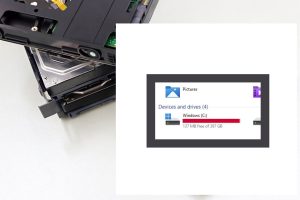
Do you know how much free drive space you have remaining?

If you are unaware, there will be problems when it gets below 20% free space.

Under 10% is critical. The computer or tech device will get slow. Files can get corrupted. The system might crash/freeze.

In a recent project, the operating system got damaged. There was less than 5% free drive space and no Windows system restore points. At that point, the hard drive would have trouble finding a spot to place data. Windows updates might not perform or cause trouble. After backing up user files, Windows was reinstalled, and all the programs have to be as well.

How to free up space:

1) If your recycle bin hasn’t been emptied in awhile, that can help

2) Uninstalling programs you don’t need is another

3) A cleaner program such as Bleach Bit (link opens in new tab) can remove junk or temporary files

4) If there are too many photo/video/ or other files, you’ll have to move them to a different storage location

Why SSDs Matter For All Your Tech In 2025

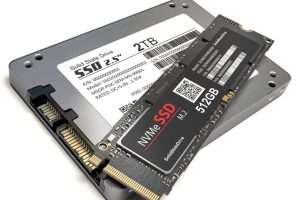
If you’re running Windows 10 or 11, a current Mac OS, or own a gaming console, a solid-state drive (SSD) is essential for speed and overall performance. SSDs deliver a smoother, faster user experience compared to traditional hard disk drives (HDDs).

While HDDs can still be useful for external storage or backups, they’re not ideal for running your operating system. SSDs are typically 5–10x faster than HDDs, and if you want even more speed, M.2 NVMe SSDs outperform standard SATA SSDs by another 5–10x.

Watch the video below to learn more and see performance comparisons in action!

Steam Deck Game Console Repair

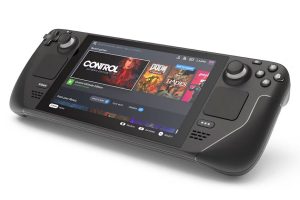
In this undertaking, the Steam operating system (OS) was reinstalled on the Steam Deck, a handheld gaming console and computer developed by Valve Corporation.

The device operated under Windows 11; however, the user sought to revert back to the factory Steam OS. It is feasible to install both Windows 11 and Steam OS on the Steam Deck, enabling users to choose their preferred operating system at startup.

The Steam Deck offers significant customization options, including the capability to emulate and stream games from PlayStation and Xbox platforms.