
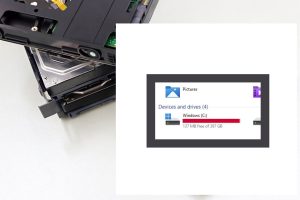
Low Hard Drive Or Solid State Drive Disk Space

Do you know how much free drive space you have remaining?

If you are unaware, there will be problems when it gets below 20% free space.

Under 10% is critical. The computer or tech device will get slow. Files can get corrupted. The system might crash/freeze.

In a recent project, the operating system got damaged. There was less than 5% free drive space and no Windows system restore points. At that point, the hard drive would have trouble finding a spot to place data. Windows updates might not perform or cause trouble. After backing up user files, Windows was reinstalled, and all the programs have to be as well.

How to free up space:

1) If your recycle bin hasn’t been emptied in awhile, that can help

2) Uninstalling programs you don’t need is another

3) A cleaner program such as Bleach Bit (link opens in new tab) can remove junk or temporary files

4) If there are too many photo/video/ or other files, you’ll have to move them to a different storage location

Mark Cavil Avatar

Mark Cavil

Owner / Technician

The owner of Computer Repairs & Solutions LLC since July 2003. I have technical and diagnostic experience in computer, laptop, game console, tablet, and phone repair.

Fact Checked & Editorial Guidelines

Our Fact Checking Process

We prioritize accuracy and integrity in our content. Here's how we maintain high standards:
  1. Expert Review: All articles are reviewed by subject matter experts.
  2. Source Validation: Information is backed by credible, up-to-date sources.
  3. Transparency: We clearly cite references and disclose potential conflicts.
Reviewed by: Subject Matter Experts

Our Review Board

Our content is carefully reviewed by experienced professionals to ensure accuracy and relevance.
  • Qualified Experts: Each article is assessed by specialists with field-specific knowledge.
  • Up-to-date Insights: We incorporate the latest research, trends, and standards.
  • Commitment to Quality: Reviewers ensure clarity, correctness, and completeness.
Look for the expert-reviewed label to read content you can trust.

Why SSDs Matter For All Your Tech In 2025

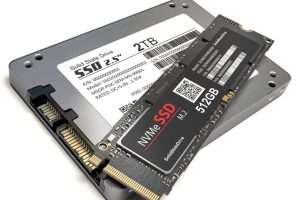
If you’re running Windows 10 or 11, a current Mac OS, or own a gaming console, a solid-state drive (SSD) is essential for speed and overall performance. SSDs deliver a smoother, faster user experience compared to traditional hard disk drives (HDDs).

While HDDs can still be useful for external storage or backups, they’re not ideal for running your operating system. SSDs are typically 5–10x faster than HDDs, and if you want even more speed, M.2 NVMe SSDs outperform standard SATA SSDs by another 5–10x.

Watch the video below to learn more and see performance comparisons in action!


Mark Cavil Avatar

Mark Cavil

Owner / Technician

The owner of Computer Repairs & Solutions LLC since July 2003. I have technical and diagnostic experience in computer, laptop, game console, tablet, and phone repair.

Fact Checked & Editorial Guidelines

Our Fact Checking Process

We prioritize accuracy and integrity in our content. Here's how we maintain high standards:
  1. Expert Review: All articles are reviewed by subject matter experts.
  2. Source Validation: Information is backed by credible, up-to-date sources.
  3. Transparency: We clearly cite references and disclose potential conflicts.
Reviewed by: Subject Matter Experts

Our Review Board

Our content is carefully reviewed by experienced professionals to ensure accuracy and relevance.
  • Qualified Experts: Each article is assessed by specialists with field-specific knowledge.
  • Up-to-date Insights: We incorporate the latest research, trends, and standards.
  • Commitment to Quality: Reviewers ensure clarity, correctness, and completeness.
Look for the expert-reviewed label to read content you can trust.