
Low Hard Drive Or Solid State Drive Disk Space
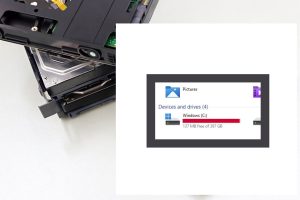
Do you know how much free drive space you have remaining?
If you are unaware, there will be problems when it gets below 20% free space.
Under 10% is critical. The computer or tech device will get slow. Files can get corrupted. The system might crash/freeze.
In a recent project, the operating system got damaged. There was less than 5% free drive space and no Windows system restore points. At that point, the hard drive would have trouble finding a spot to place data. Windows updates might not perform or cause trouble. After backing up user files, Windows was reinstalled, and all the programs have to be as well.
How to free up space:
1) If your recycle bin hasn’t been emptied in awhile, that can help
2) Uninstalling programs you don’t need is another
3) A cleaner program such as Bleach Bit (link opens in new tab) can remove junk or temporary files
4) If there are too many photo/video/ or other files, you’ll have to move them to a different storage location