
How To Make Facebook Tolerable

Facebook can occasionally present a suboptimal user experience. For example, it is not uncommon for one of your connections to post excessively, with some individuals sharing content around 10 times a day.

Additionally, the news feed is often inundated with advertisements, leading to a cluttered browsing experience. Users may also find that they receive numerous notifications on both their desktop and mobile devices. Furthermore, the frequency of selfie postings by certain individuals can exceed once a week, and the prevalence of political discussions can become overwhelming, particularly given the amount of such content already present on television.

An article by How to Geek looks at how to make Facebook more tolerable. The recommendations are primarily tailored for smartphone users, but several are also applicable to other platforms.

Should you encounter any difficulties locating a specific setting, I encourage you to reach out via email or messaging, specifying the tip in question and the device you are using.

Read the article — 9 Ways To Make Facebook Tolerable (link opens in new browser tab)
Windows 10/11 Fake Virus Notifications

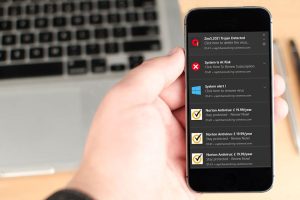
Scammers frequently employ fraudulent virus notifications within Internet browsers and the Windows operating system. Such alerts instill fear in users, often leading them to click on the notifications and consequently risking financial loss. These scammers commonly use reputable brand names, such as Norton and McAfee, to enhance their credibility. It is crucial to refrain from permitting notifications from unfamiliar websites.

In this project, I disabled notifications in both Windows and Google Chrome due to hijacking by a scam website. The user did not require these notifications. A subsequent scan conducted by Malwarebytes confirmed the absence of any viruses on the system.

Hinge Problem HP Laptops

If you possess an HP Envy, Envy 360, Pavilion, Pavilion 360, HP 14, HP 15, or HP 17 laptop manufactured from 2017 onward, you may have encountered a concerning issue related to the hinges. Numerous users have reported that the hinges tend to break with relative ease. In order to mitigate stress on the hinges, a user on Reddit has suggested the practice of holding the lid in the center rather than at the sides, a minor adjustment that could potentially extend the lifespan of the laptop.

In the event that you experience a broken hinge, I’m equipped to assist you. My services include the repair of hinges for HP laptops, as well as other brands. By choosing our professional repair services, you will regain the ability to open and close your screen normally.

Please feel free to contact me via message or phone to schedule your repair today.